How to Make an Ecommerce Website for Free: Complete Step-by-Step Guide for Beginners
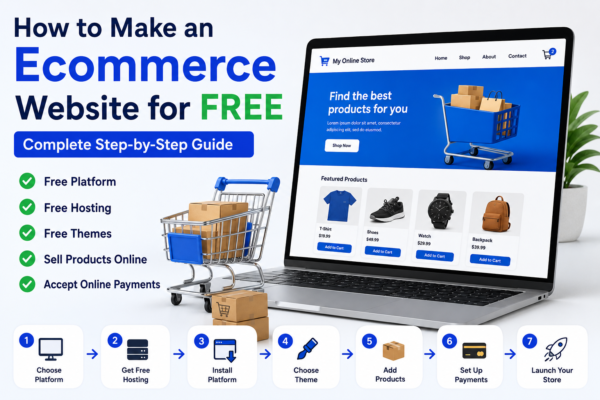
Starting an online store has never been easier. Thanks to modern website builders and ecommerce platforms, anyone can create an ecommerce website without spending money on development. Whether you want to sell physical products, digital downloads, handmade items, or services, a free ecommerce website can help you launch your business quickly.
In this guide, you’ll learn how to make an ecommerce website for free, the tools you’ll need, and the exact steps required to build your online store from scratch.
Table of Contents
What Is an Ecommerce Website?
An ecommerce website is a website that allows customers to browse products, add items to a cart, and make purchases online. Businesses use ecommerce websites to sell products and services directly to customers over the internet.
Popular ecommerce websites include Amazon, eBay, Etsy, and Shopify stores.
Key Features of an Ecommerce Website
- Product listings
- Shopping cart
- Secure checkout
- Payment gateways
- Order management
- Customer accounts
- Mobile-friendly design
Benefits of Creating an Ecommerce Website
Building an ecommerce website offers several advantages:
Sell Products 24/7
Unlike physical stores, an online store remains open all day, every day.
Reach More Customers
You can sell products to customers from different cities, states, or even countries.
Lower Startup Costs
Free ecommerce platforms allow beginners to start selling without a large investment.
Better Business Control
You can manage products, pricing, inventory, and customer relationships from one dashboard.
Easy Marketing Opportunities
SEO, social media, and email marketing can help drive traffic and sales.
Things You Need Before Building an Ecommerce Website
Before creating your store, prepare the following:
Product Information
- Product names
- Descriptions
- Pricing
- Images
Business Details
- Business name
- Contact information
- Logo (optional)
Payment Method
Decide how customers will pay you:
- PayPal
- Stripe
- Razorpay
- Bank Transfer
Step 1 – Choose a Free Ecommerce Platform
The first step is selecting a platform to build your online store.
WooCommerce
WooCommerce is one of the most popular ecommerce solutions for WordPress.
Advantages
- Free to use
- Highly customizable
- SEO-friendly
- Thousands of plugins available
Best for:
- Small businesses
- Bloggers
- Entrepreneurs
Wix Ecommerce
Wix provides a drag-and-drop website builder suitable for beginners.
Advantages
- Easy setup
- Attractive templates
- Beginner-friendly interface
Best for:
- Non-technical users
Ecwid
Ecwid allows you to create a small online store for free.
Advantages
- Simple setup
- Mobile-friendly
- Good for beginners
Shopify Free Trial
Although Shopify is not permanently free, its free trial can help you test your ecommerce business before investing.
Step 2 – Get Free Hosting and Domain
Many platforms offer free hosting.
Options Include
- WordPress.com
- Wix
- Ecwid
- Free hosting providers
However, for long-term growth, purchasing a custom domain is recommended.
Example
Free Domain:
yourstore.wordpress.comProfessional Domain:
yourstore.comA custom domain improves trust and branding.
Step 3 – Install Your Ecommerce Platform
If using WordPress:
Install WordPress
Most hosting providers offer one-click installation.
Install WooCommerce
Go to:
Plugins → Add NewSearch:
WooCommerceInstall and activate the plugin.
WooCommerce setup wizard will guide you through:
- Store details
- Currency settings
- Shipping settings
- Payment setup
Step 4 – Choose a Professional Theme
Your store’s appearance influences customer trust.
Recommended Free Themes
- Kadence
- Astra
- GeneratePress
- Storefront
What to Look For
- Mobile responsiveness
- Fast loading speed
- Clean design
- Ecommerce compatibility
A simple design often converts better than a cluttered one.
Step 5 – Add Your Products
Now it’s time to create product listings.
Product Information to Include
- Product name
- Product images
- Description
- Pricing
- SKU
- Categories
Product Description Example
Instead of:
Blue T-ShirtWrite:
Premium blue cotton t-shirt designed for comfort and everyday wear.Detailed descriptions help improve SEO and conversions.
Step 6 – Set Up Payment Methods
Customers need a secure way to pay.
Popular Payment Gateways
PayPal
- Trusted worldwide
- Easy setup
Stripe
- Supports cards
- Fast transactions
Razorpay
- Popular in India
- Supports UPI and cards
Choose a payment solution that suits your target audience.
Step 7 – Configure Shipping Options
Shipping settings determine delivery costs and locations.
Common Shipping Methods
- Free Shipping
- Flat Rate Shipping
- Local Pickup
Shipping Tips
- Offer free shipping whenever possible.
- Display delivery times clearly.
- Use reliable shipping partners.
Step 8 – Optimize Your Store for SEO
SEO helps customers find your store through search engines.
Basic Ecommerce SEO Tips
Use Descriptive Product Titles
Example:
Men's Cotton Running ShoesInstead of:
Running ShoesWrite Unique Descriptions
Avoid copying manufacturer descriptions.
Optimize Images
Compress images before uploading.
Use Internal Links
Link related products and blog posts together.
Create Helpful Content
Publish articles related to your products.
Step 9 – Test Your Ecommerce Website
Before launching, check everything carefully.
Test Checklist
- Product pages work correctly
- Images load properly
- Checkout functions properly
- Payment gateway works
- Mobile responsiveness
- Contact forms function correctly
Testing helps avoid customer frustration.
Step 10 – Launch Your Online Store
Once everything is ready:
Final Tasks
- Publish products
- Review store settings
- Test payment methods
- Share your website
After launching, start promoting your store through:
- SEO
- Social media
- Email marketing
- Online communities
Common Mistakes to Avoid
Choosing Too Many Plugins
Excessive plugins can slow your website.
Ignoring Mobile Users
Most customers shop on mobile devices.
Using Poor Product Images
High-quality images increase trust.
Skipping SEO
Without SEO, customers may struggle to find your store.
Complicated Checkout Process
Keep checkout simple and user-friendly.
Best Free Ecommerce Tools
| Tool | Purpose |
|---|---|
| WooCommerce | Ecommerce Platform |
| Canva | Product Graphics |
| Google Analytics | Traffic Tracking |
| Rank Math SEO | SEO Optimization |
| Mailchimp | Email Marketing |
| Google Search Console | Website Monitoring |
Frequently Asked Questions
Can I Create an Ecommerce Website Completely Free?
Yes. Platforms like WooCommerce, Wix, and Ecwid allow you to start with minimal or no upfront cost.
Is WooCommerce Free?
Yes. WooCommerce is free, although premium extensions and hosting may require payment.
Do I Need Coding Skills?
No. Most modern ecommerce platforms provide beginner-friendly interfaces.
Can I Accept Online Payments for Free?
Yes. Payment gateways such as PayPal, Stripe, and Razorpay allow online payments.
Which Free Ecommerce Platform Is Best?
WooCommerce is often considered one of the best free ecommerce solutions because of its flexibility and SEO capabilities.
Conclusion
Creating an ecommerce website for free is easier than ever. By choosing the right platform, adding quality products, optimizing your store for SEO, and focusing on user experience, you can launch a professional online store without a large budget.
Whether you’re starting a small business, selling handmade products, or testing a new idea, free ecommerce tools provide everything needed to begin your online selling journey. Start small, continue improving your website, and focus on providing value to your customers. Over time, your ecommerce website can grow into a successful online business.